Other day, when we copied one of the Environments to another and tried to import csv file using ‘Excel’ import feature, file stuck at ‘Submitted’ state.

Reason:
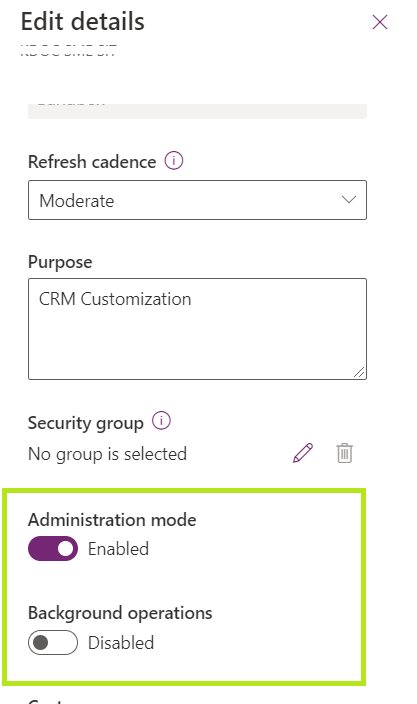
- Post copy, Environment’s ‘Administration mode’ gets enabled by default, which prevents all background (Async) operations.
Fix:
- Open Power Platform admin center
- Open the the Environment which you are having import issue. Click on ‘Edit’.

- Turn off the ‘Administration mode’
🙂


 Rajeev Pentyala – Technical Blog on Power Platform, Azure and AI
Leave a comment