One of the much awaited features ‘Read Access Audit‘ is being roll out in the latest version of Dynamics 365 online.
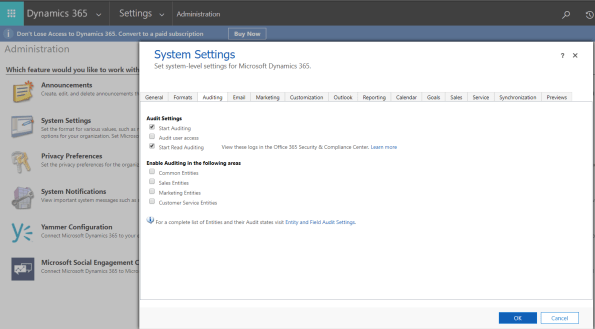
Enable ‘Read’ Audit:
- Connect to your Dynamics 365 application.
- To enable Audit, choose Settings > Administration > System Settings > Auditing tab
Access Audit Data:
- Audit data can be viewed by connecting to the Office 365 Security and Compliance Center.
- Connect to https://protection.office.com > Search & investigation > Audit log search and select the Dynamics 365 activities tab

Refer this article for more info.
🙂



 Rajeev Pentyala – Technical Blog on Power Platform, Azure and AI
Leave a comment