In my USD, I have a hosted control of type “IE Process”.
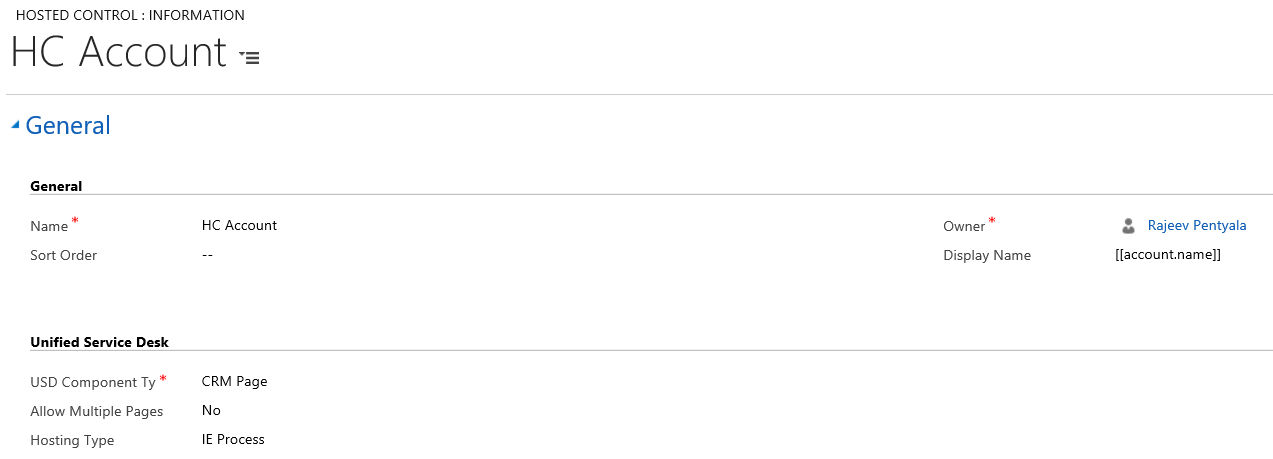
Whenever it gets loaded, I was getting “http://event” IE pop-up and its blocking configured events of Hosted control to be triggered.

Reason:
- These popups occur in IE 11
- When the protected mode of IE set to ‘Off’ for the Intranet Zone, which is a default setting of IE.
Fix:
- Either change the “Hosting Type” of hosted control to “Internal WPF” (or)
- ‘Turn On’ the protected mode for the Intranet zone.
Refer this article for more info.
🙂


![[Step by Step] Beginner : Create a PCF control and add it to a custom page](https://rajeevpentyala.com/wp-content/uploads/2024/12/image-49.png)
 Rajeev Pentyala – Technical Blog on Power Platform, Azure and AI
Leave a comment