‘Quick Create’ form is the latest addition in CRM 2013 new set of features.
‘Quick Create’ form enable you to create records quickly by just filling the key information (i.e., fields) using global ‘Create’ button.

In this article I would like to provide few key points about ‘Quick Create’ form
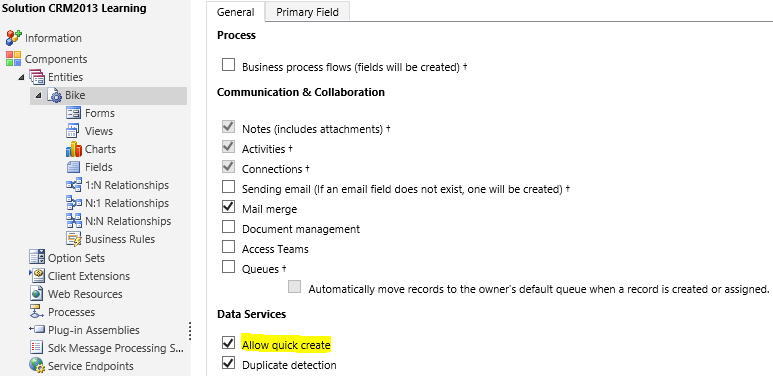
- To enable ‘Quick create form’ for an entity, you have to check “Allow quick create” check box under Data Services in entity properties.
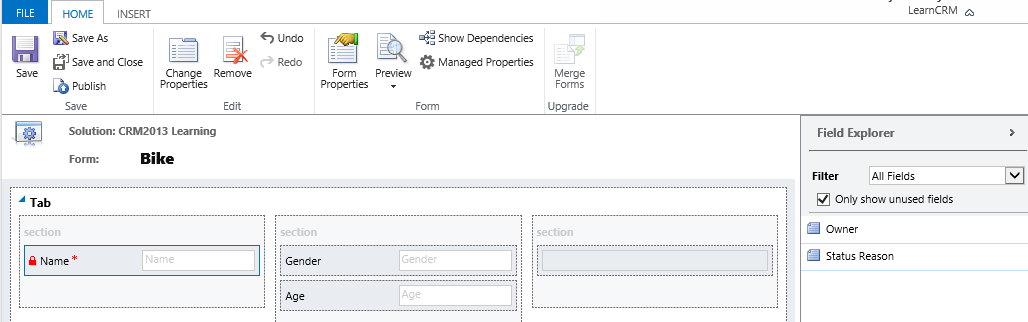
- To create a new ‘Quick create form’, go to Entity -> Forms -> New -> Quick Create Form

- Quick form only contain one Tab and three Section , we can’t add new tab or section.
- Publish the Customizations.
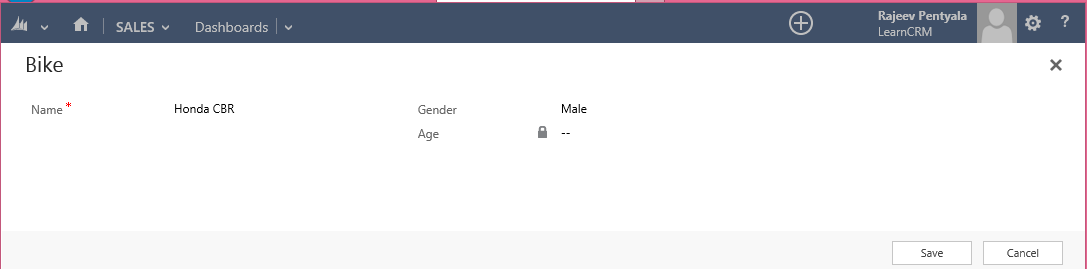
- Click on global ‘Create’ button on Navigation bar and select the entity and you get the form
‘Business Rules’ on Quick Create forms
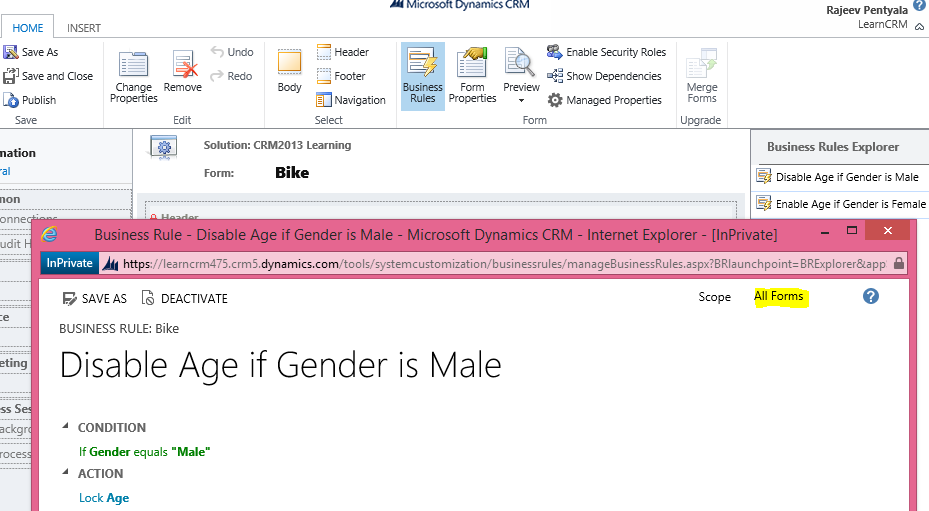
- ‘Business Rules’ work on ‘Quick Create Forms’
- To enable ‘Business Rule’ to work on ‘Quick Create Form’, we just need to set the scope of ‘Business Rule’ to ‘All Forms’.
I will keep adding few more points, if I come to know.
🙂


 Rajeev Pentyala – Technical Blog on Power Platform, Azure and AI
Leave a comment