Using ‘Bing Maps Task’ we can get the nearby locations (i.e., Hospitals,Coffee shops or Shopping malls) on the Map.
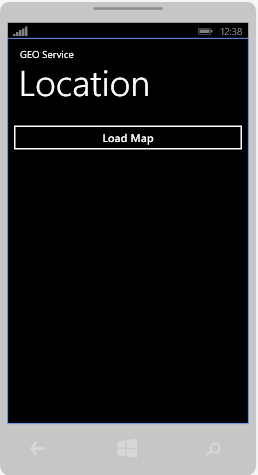
Add a button to your XAML page and on ‘Click’ event handler place below code.
using Windows.Devices.Geolocation;
private async void btnMapTask_Click(object sender, RoutedEventArgs e) {
// Get the Current location Coordinates
Geolocator geolocator = new Geolocator();
geolocator.DesiredAccuracyInMeters = 50;
Geoposition position = await geolocator.GetGeopositionAsync(
maximumAge: TimeSpan.FromMinutes(1), timeout: TimeSpan.FromSeconds(30));
// Initialize BingMapsTask
BingMapsTask bingMapsTask = new BingMapsTask();
// Pass the current location coordinates
bingMapsTask.Center = new GeoCoordinate(position.Coordinate.Latitude, position.Coordinate.Longitude);
bingMapsTask.ZoomLevel = 2;
// Search Term; To search coffee shops set ‘coffee’
bingMapsTask.SearchTerm = “hospital“;
bingMapsTask.Show();
}
When you click on the button, we will get below screen.
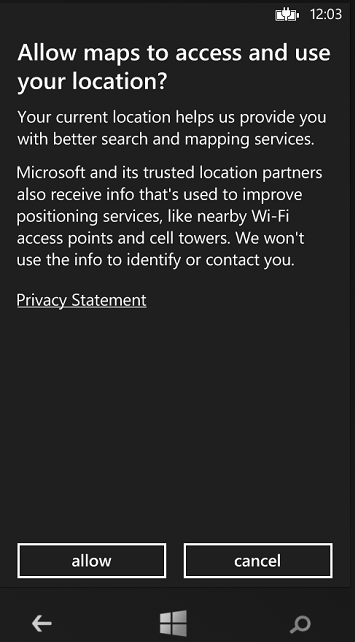
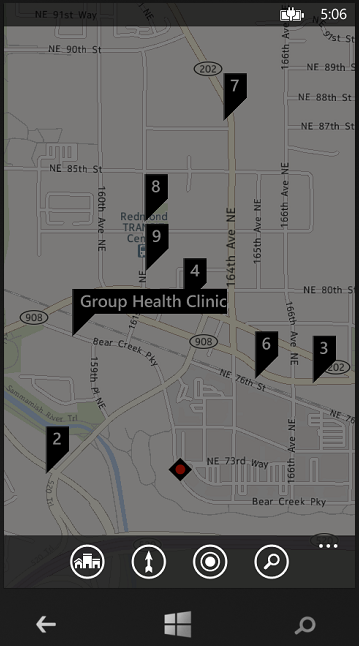
Once you click on ‘allow’ , we will get a bing map with nearest hospitals.
Also we need to enable following two Capabilities in application manifest file “WMAppManifest.xml”
1.ID_CAP_LOCATION
2.ID_CAP_MAP
🙂




 Rajeev Pentyala – Technical Blog on Power Platform, Azure and AI
Leave a comment