Windows Phone 8 has included the Text to Speech feature out of the box in the platform.Text to speech is very easy to use in your App (only takes 2 lines of code) using ‘SpeechSynthesizer’ class.
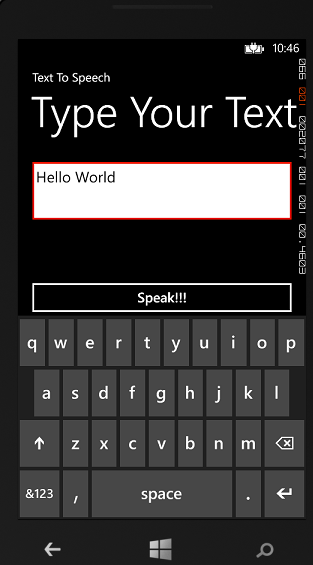
Below is the code
var synthesizer = new SpeechSynthesizer();
await synthesizer.SpeakTextAsync(“Your text here”);
Copy and paste above code in button ‘Click’ event.
Also we can set the ‘VoiceInformation’ (i.e., Language, Gender etc…) to the speech.
Refer link for more details.
🙂


 Rajeev Pentyala – Technical Blog on Power Platform, Azure and AI
Leave a comment