Assume in the mid of your CRM implementation, your report server has been changed.
Now all you need is to point your organization with the new report server url.
We can do this using “Deployment Manager” by following below steps
- Open the “Deployment Manager” and click on “Organizations” link
- Choose your “Organization” and click “Disable”
Disable Organization

- Next, click on “Edit Organization” link
Edit Organization
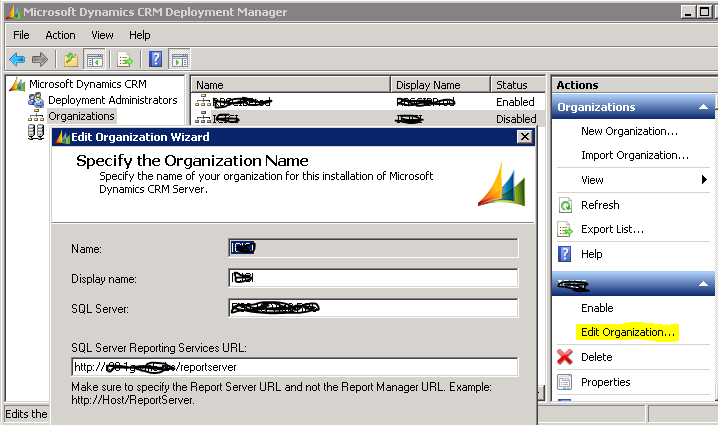
- In the opened “Edit Organization Wizard” provide the new Report server URL
- Note that, you can also change the display name, if needed
- Enable the Organization
🙂



 Rajeev Pentyala – Technical Blog on Power Platform, Azure and AI
Leave a comment