Enable/Disable duplicate detection rules while data import
Using “Duplicate Detection Settings” we can turn the duplicate detection rules on/off while data import. It’s a system level setting applicable to all imports
Duplicate Detection Settings
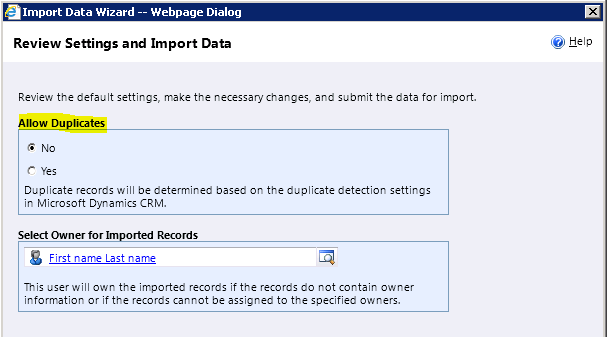
You can also use the “Allow Duplicates” option, right at the time of Import to turn off the duplicate detection rules
Duplicate Detection Data Import
The “Allow Duplicates” option works based on the duplicate detection settings and duplicate detection rules defined.
If you choose
Yes
It wont fire the duplicate detection rules
No
It will fire the duplicate detection rules
Duplicate Detection Rules Automatically get Unpublished
By design, whenever any entity metadata is changed all duplicate rules associated with that entity are unpublished
Whenever you import a solution you release, if the solution has customization change for an entity, say for ‘Account’ entity then the duplicate detection rule for ‘Account’ would turn into unpublished state.
So whenever you imported a solution make sure your duplicate detection rules are in published state




 Rajeev Pentyala – Technical Blog on Power Platform, Azure and AI
Leave a comment