I have a custom SSRS report “ABC Report” in my CRM application.
ABC Report

And, I wanted to include this report in my solution “My Reports” and export to another CRM organization
But to my surprise, I did not find “ABC Report” when I choose “Solution -> Reports -> Add existing”
Add existing reports – solution

Fix :-
- Go to “Work Place -> Reports”
- Choose “ABC Report” and click “Edit”
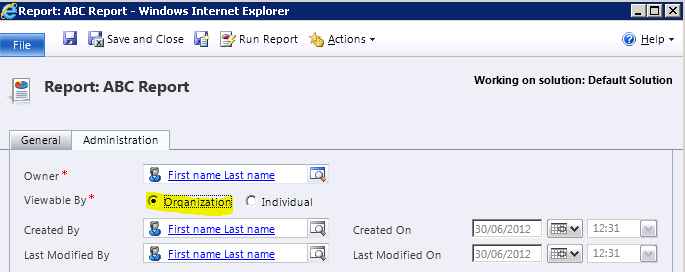
- In the report window go to “Administration” tab
- Set Report “Viewable By” option to “Organization” and Save
- Set “Viewable By” option to “Organization”
- Open the solution and click “Reports à Add existing reports”
“ABC Report” in the list

🙂



![[Step by Step] Beginner : Create a PCF control and add it to a custom page](https://rajeevpentyala.com/wp-content/uploads/2024/12/image-49.png)
 Rajeev Pentyala – Technical Blog on Power Platform, Azure and AI
Leave a comment